

Create API Token
API tokens allow you to programmatically access and manage your DewaVPS resources securely.
Steps to Create an API Token
-
Log in to your DewaVPS control panel.
-
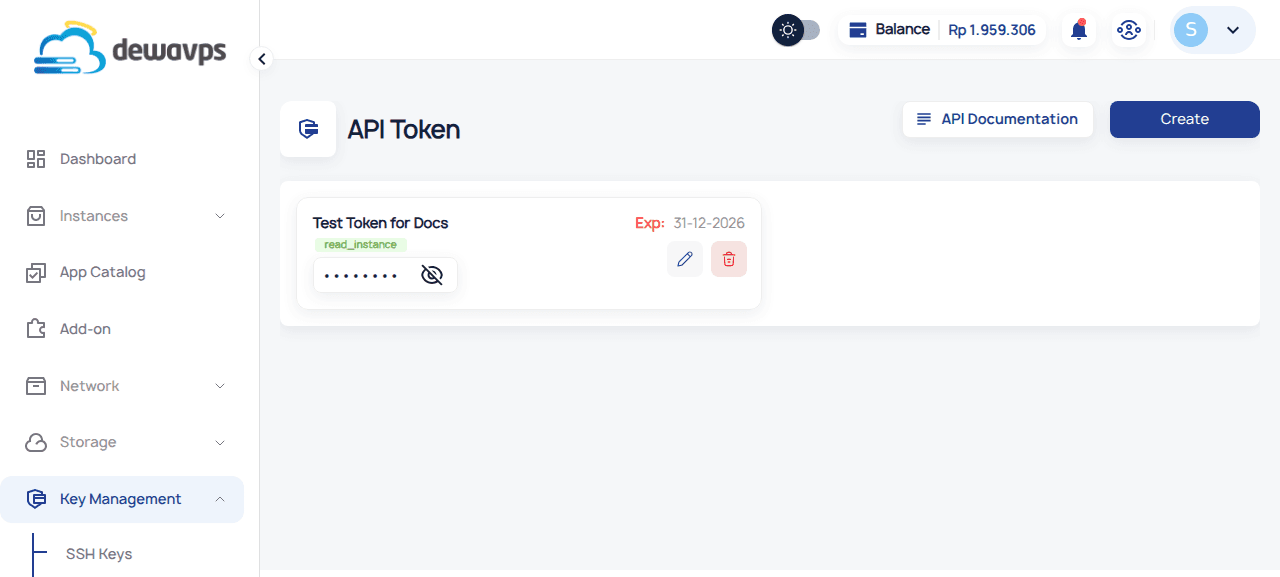
Navigate to Key Management → API Token section.
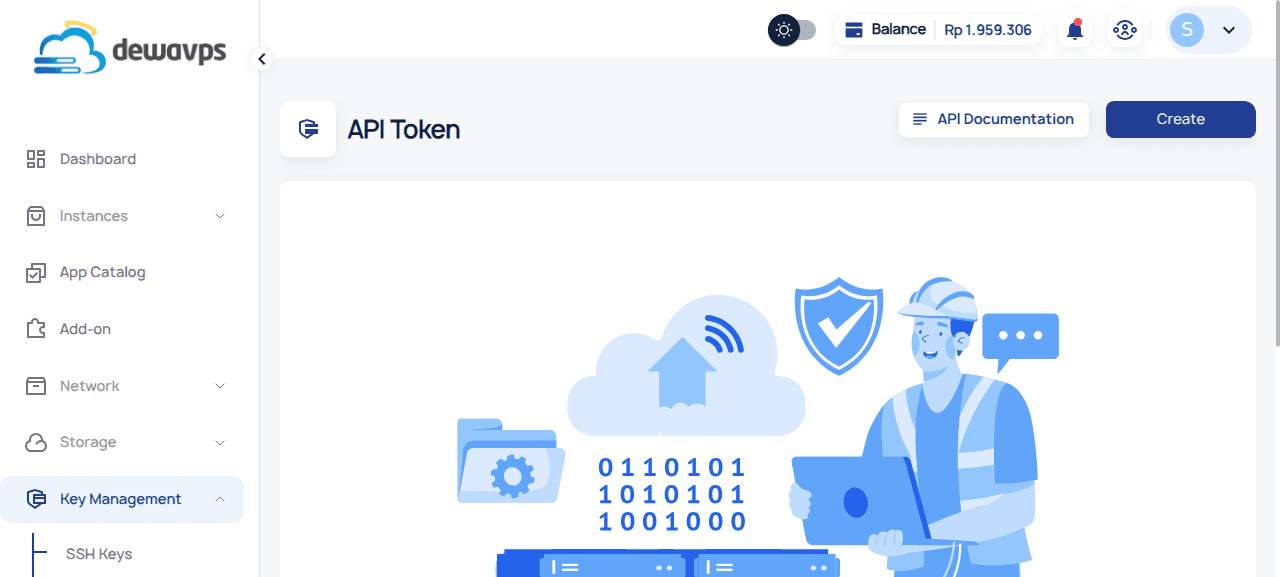
-
Click the Create button.
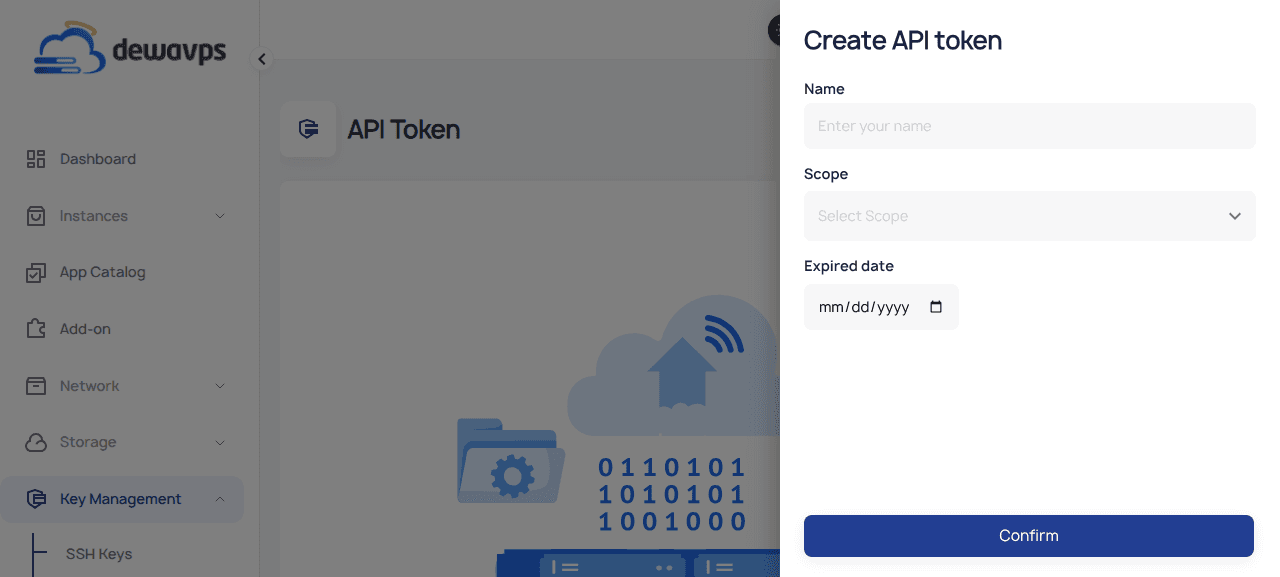
-
Enter a name for the token (e.g.,
CI/CD PipelineorMonitoring Script). -
Select a scope for the token permissions.
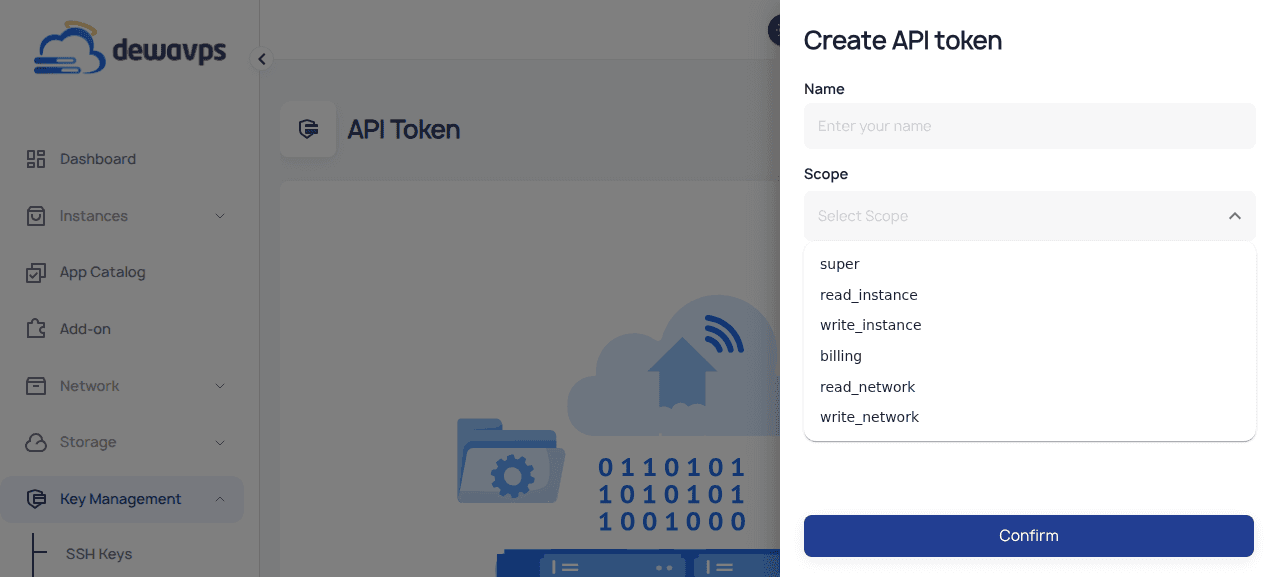
Available scopes:
super- Full access to all resourcesread_instance- Read-only access to instanceswrite_instance- Read and write access to instancesbilling- Access to billing informationread_network- Read-only access to network resourceswrite_network- Read and write access to network resources
-
Select an expiration date (e.g.,
31-12-2026).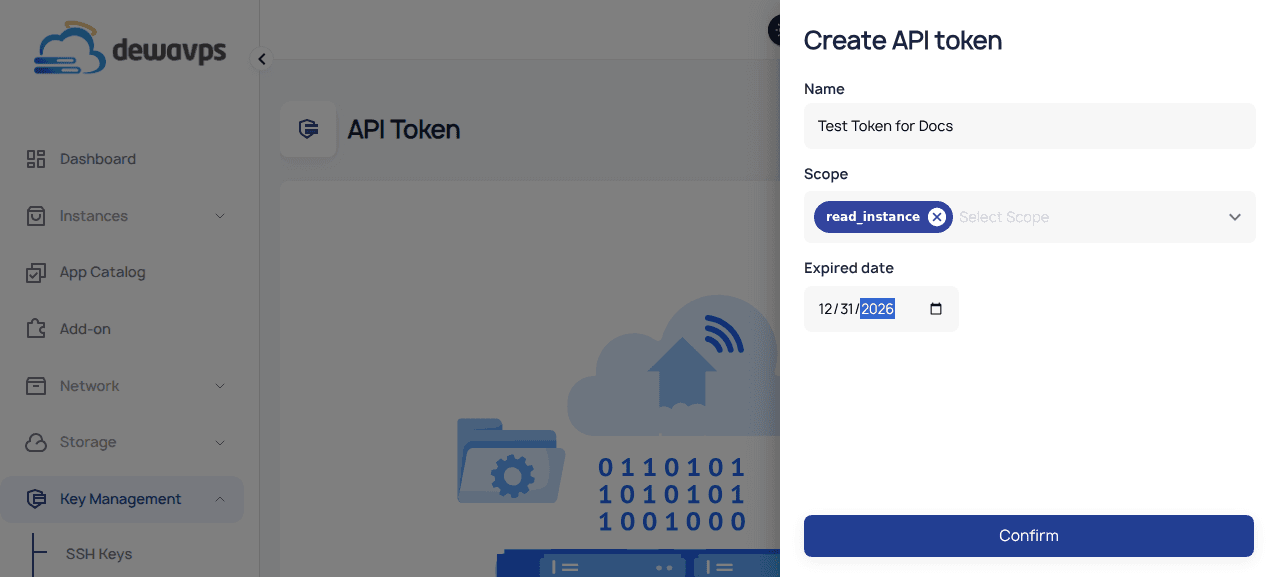
-
Click Confirm.
-
Copy the token immediately — it will only be shown once!
Using Your API Token
Use this token in your API requests with the x-apikey header:
curl -H "x-apikey: YOUR_TOKEN_HERE" https://api.dewavps.com/v1/instancesSecurity Note: Treat your API token like a password. Never commit it to version control or share it publicly.