

Create using Catalogue
The App Catalog allows you to quickly deploy pre-configured applications on your DewaVPS Instance without manual setup.
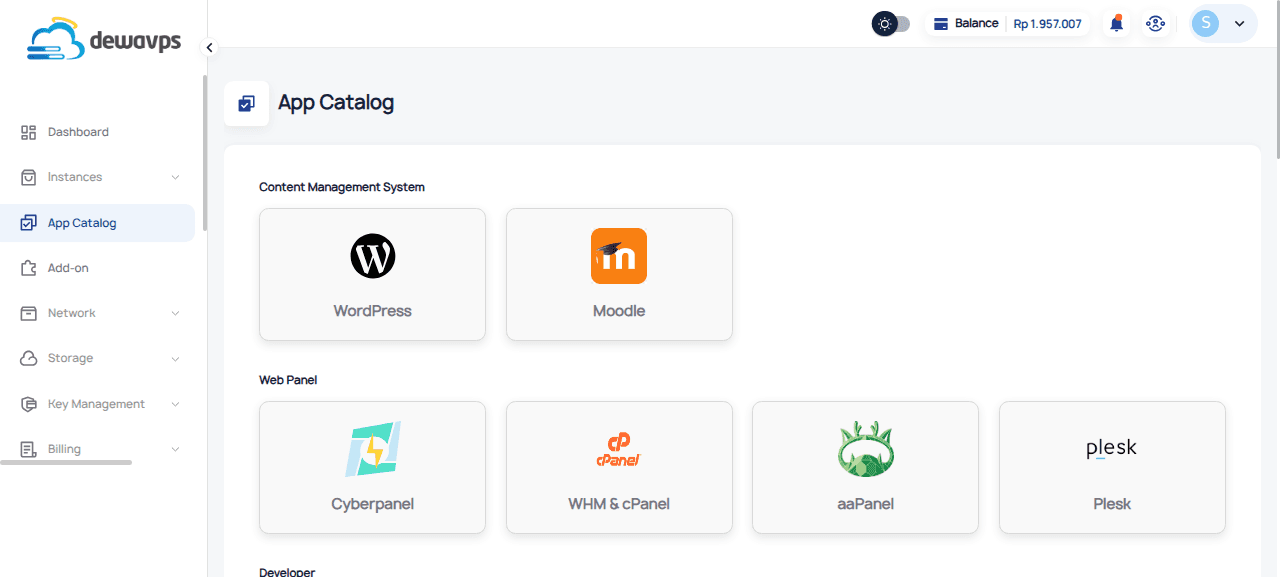
How It Works
When you click on an app in the catalog, you will be taken to the Instance creation page with a preloaded configuration tailored for that application — including the recommended OS image, resources, and any required settings.
Available Applications
Content Management System
- WordPress
- Moodle
Web Panel
- Cyberpanel
- WHM & cPanel
- aaPanel
- Plesk
Developer
- Nginx
- Docker
- Grafana
- Laravel
- Portainer
- Redis Server
- LAMP/LEMP
- Code Server
- NodeJS
- UptimeKuma
- FrankenPHP
Databases
- MariaDB
- PostgreSQL
- MongoDB
- RabbitMQ
Cloud Storage
- NextCloud
- TrueNAS-Scale
- Immich
Productivity
- Snipe-IT
- WAHA
- Odoo
- OpenwebUI
- ELK-Blueprint
- PritunlVPN
- OpenClaw
Steps
- Navigate to App Catalog from the DewaVPS control panel.
- Browse or search for the application you want to deploy.
- Click on the app — you will be redirected to the Create Instance page with the configuration pre-filled.
- Review the preloaded settings and adjust if needed.
- Click Create to deploy your Instance.
Your Instance will launch with the selected application pre-configured and ready to use.